Echoes have always been built for the questions you keep asking: a brief every morning, a Monday read on which goals are slipping, a nightly check on how the day went. Set one up once and a fresh answer arrives on schedule.
But a lot of questions only come up once. You’re five minutes out from a 1:1 and want a quick read on what someone worked on this week. You’re back from a week off and want to know what changed while you were gone. You’re about to pick up a ticket and want to check whether anyone on the billing team already touched it. Customers have been asking for a way to answer questions like these, and today it’s here: Asks gives you answers about work the moment you need one.
Ask, get an answer
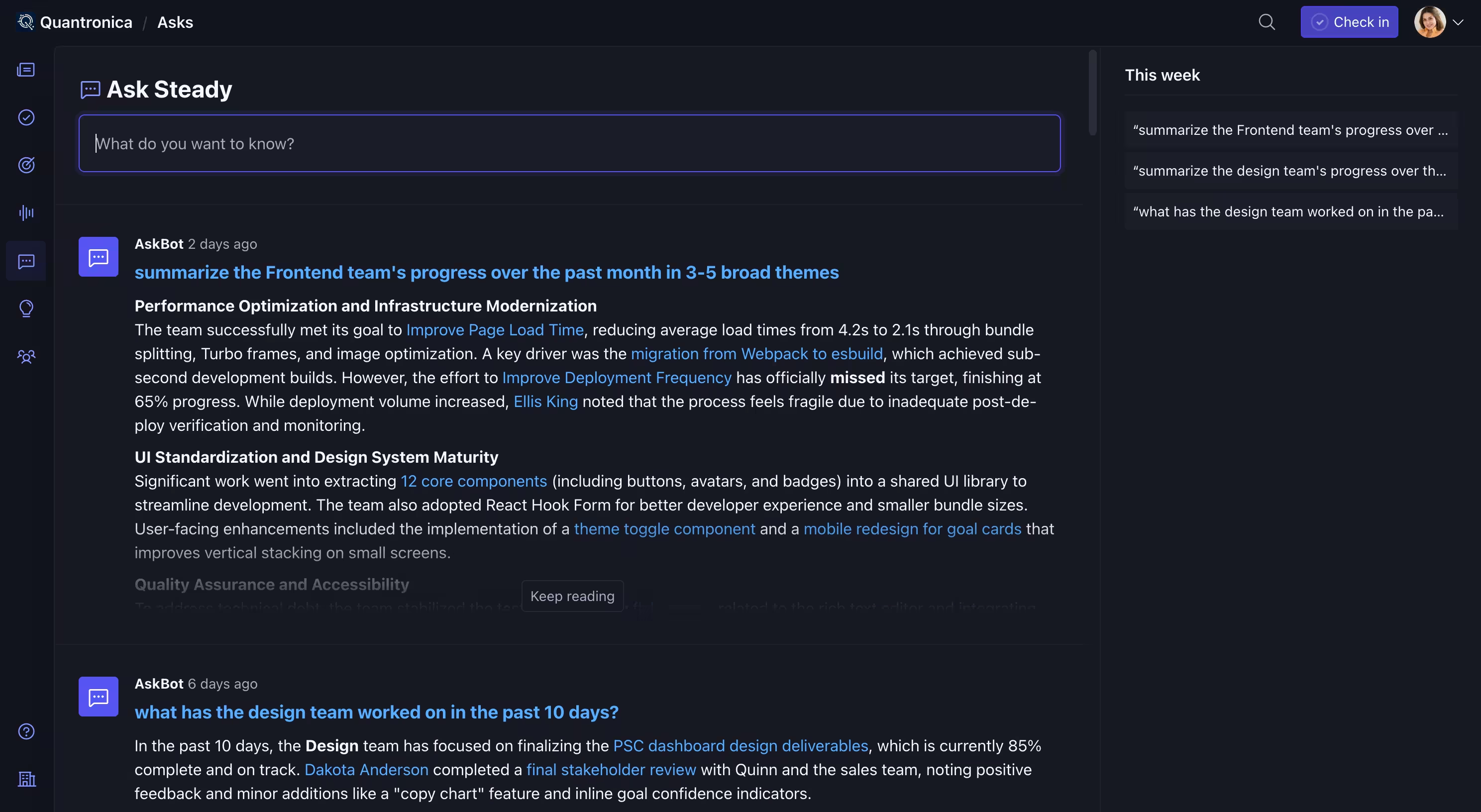
Asks lives in the sidebar. Type what you want to know and submit. The jump menu works too: press /, type your question, and choose Asks. Simple questions work: “Who’s out this week?” So do involved ones: “Summarize the major progress the Design and Dev teams made last week, and include any related pull requests.” Asks runs on the same engine as Echoes, so if you know Echoes, you know Asks. Answers draw on the same check-ins, goal updates, and connected activity, and they include the same links back to the source material so you can verify any detail that matters.
Every Ask is saved to your history, grouped by week, so you can reopen an answer later or copy a link to it. Your Asks are yours alone. Answers only draw on data you already have access to in Steady, and your history isn’t visible to anyone else.
An answer now, or on a schedule
Asks is for the question you have right now: the pre-meeting read, the catch-up after a week off. Echoes is for the question you’ll have again next week: the morning brief, the retro prep, a recommendation on where to focus. Sometimes a question starts as the first kind and turns into the second.
That’s what the handoff is for. When you notice you’ve asked the same thing a few weeks running, open the ••• menu on an Ask and select “Save as Echo”. Steady opens a new Echo with your prompt already filled in. Pick a cadence and a delivery time, and from then on a fresh answer lands in your Digest on schedule.
The Asks or Echoes? section of the docs has a few more examples of which fits which job.
From the terminal and the API
Asks is also available outside the app. In the Steady CLI, you can put a question to Steady from a shell, list what you’ve already asked, and read the answers:
steady asks create '{"prompt":"Which goals are slipping, and why?"}'
steady asks
The same operations are available in the v2 API for both personal access tokens and OAuth clients. Anything asked from the CLI or the API lands in your Asks history alongside the rest, so a question you ask in a script shows up in the app too.
Get started
Asks is live today on every Steady account. Select the speech bubble in the sidebar, and ask your first question. The Asks docs cover the details, including best practices for getting a good answer and how Asks handles your data.